2.2 API Activation Process
Step 1: Customers will need to apply to a Solis technical support engineer, who will review the request to verify its correctness and send it to the local authority to activate API access. The local authority will activate API access and notify the customer or technical support engineer.
Step 2: Log in www.soliscloud.com.
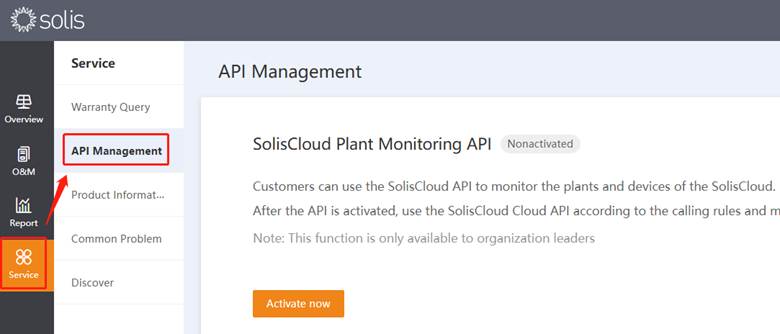
Step 3: After logging in, click [Service] - [API Management]. (See picture below)
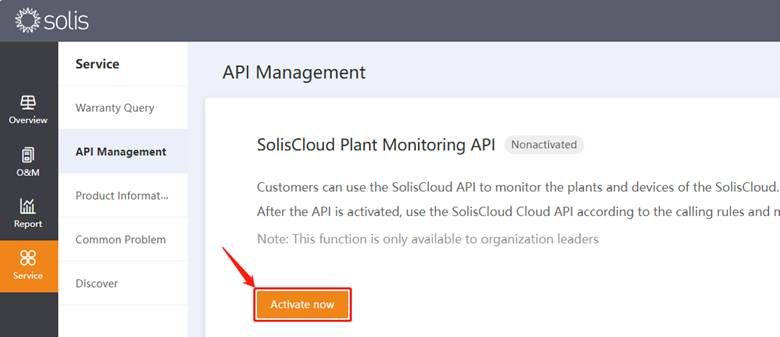
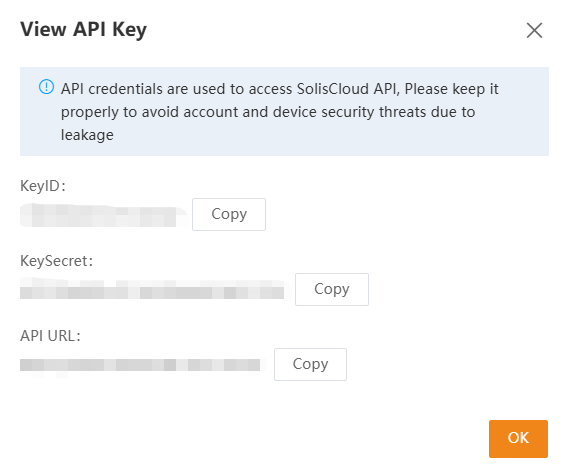
Step 4: In API management option you can check KeyID and KeySecret after pressing activate now button. (See picture below)
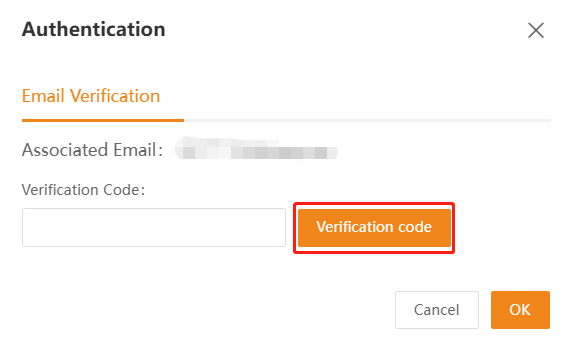
Step 5: Press the “Verification Code” first and then a puzzle will pop up. Solve the puzzle and then the verification code will be sent to your email inbox. Put that in the verification code box in SolisCloud and confirm.
Step 6: Verity API ID and API Secret.
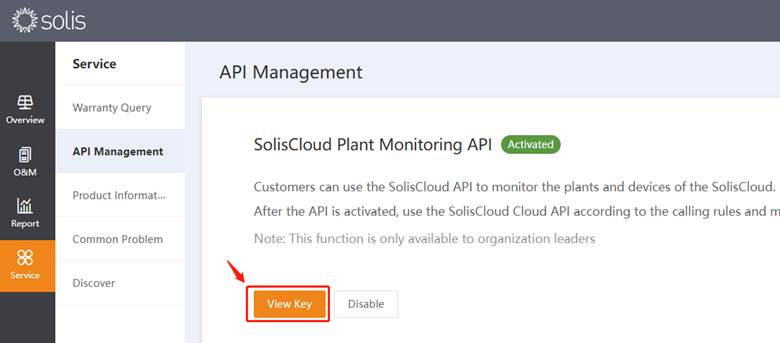
Note Users can check the API document in the yellow part below.
Was dit artikel nuttig?
Dat is fantastisch!
Hartelijk dank voor uw beoordeling
Sorry dat we u niet konden helpen
Hartelijk dank voor uw beoordeling
Feedback verzonden
We stellen uw moeite op prijs en zullen proberen het artikel te verbeteren